
The Christmas style.
Festive reds and greens with cozy holiday sparkle for every image.
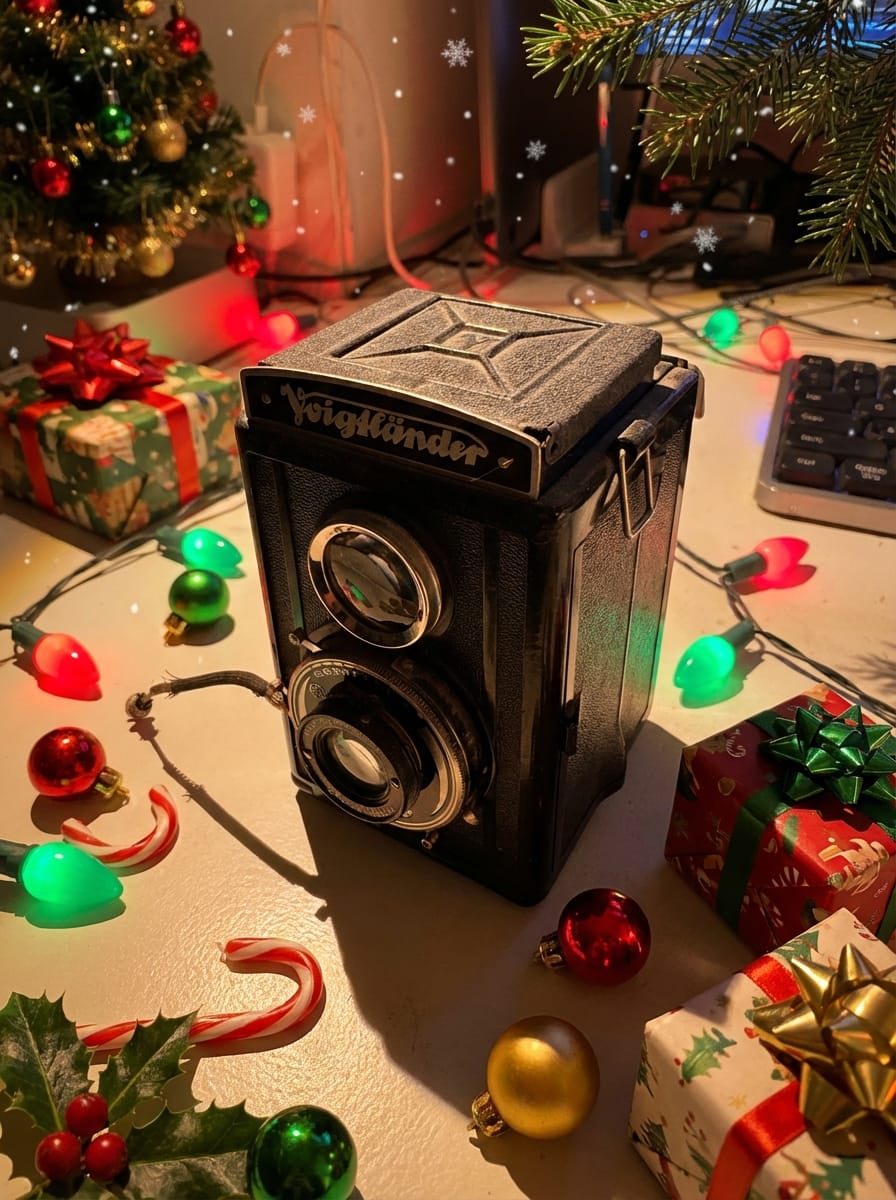
Nothing says "happy holidays" like a photo wrapped in twinkling lights, ornaments, and warm red-and-green tones. Stemning's Christmas style uses AI to transform any image into a festive masterpiece — think candy canes, snowflakes, holly accents, and that cozy glow of a fireplace-lit evening. Your subject stays perfectly recognizable; the holiday magic builds up around it.
Whether you need Christmas cards, social media content for December, or festive product photos, one upload gives you a ready-to-share holiday image. Preview the transformation with your free sign-up credits, then grab a credit pack for the high-resolution 4K download and spread the cheer.
From family portraits with Santa hats to pet photos surrounded by presents, the Christmas filter works on any image. Small businesses use it for seasonal email banners, while families turn their favourite snapshots into holiday greeting cards — all without Photoshop or design skills.









25 free credits on sign-up · no credit card required
Works for more than you'd think.
How it works
Upload your photo
Upload any photo — portraits, pets, products, landscapes. Our AI keeps your subject intact.
Apply the style
Select the style and get a free instant preview. See the transformation before you pay.
Download in 4K
Love it? Pay once and download the full-resolution version. No subscription needed.
Christmas photo tips
- Start early. The best Christmas content gets shared from late November onward. Have your holiday images ready before December to stay ahead of the seasonal rush.
- Mix subjects. The Christmas style works on portraits, pet photos, product shots, and even landscapes — variety keeps your holiday feed fresh.
- Pair with text overlays. Download the 4K image and add a "Merry Christmas" message in Canva or your favourite editor for instant greeting cards.
- Use for business too. Holiday email banners, seasonal social headers, and festive product shots convert better when they feel genuinely Christmassy.
- Try related styles. Combine with the Winter or Holiday Gathering style for a broader seasonal campaign.
The science behind festive photo engagement
Research from Sprout Social consistently shows that holiday-themed social media content sees 17–25% higher engagement than non-seasonal posts. Christmas imagery performs especially well because it taps into universal emotions — warmth, nostalgia, and togetherness — that drive sharing behavior.
The key to standing out is authenticity. Generic stock Christmas photos feel impersonal. When you transform your own photos with AI, the result feels personal and genuine — your family, your pet, your product — wrapped in holiday magic. That personal connection is what makes people stop scrolling and engage.
For businesses, the numbers are even more compelling. Holiday email campaigns with personalized imagery see 29% higher open rates according to Campaign Monitor's email marketing benchmarks. A Christmas-styled product photo in the subject line preview can be the difference between an open and a skip.
Start creating your Christmas content early — the most successful holiday campaigns begin publishing in late November. Read our full guide to AI Christmas photos for step-by-step instructions and more tips.
Frequently asked questions
How do I make a Christmas photo with AI?
Upload any photo to Stemning, select the Christmas style, and preview it instantly with your free sign-up credits. The AI adds festive lights, ornaments, and holiday warmth while keeping your subject sharp. When you're happy, a one-time credit pack unlocks the full 4K download.
Can I use this for Christmas cards?
Absolutely. The 4K download is print-ready at 300 DPI — perfect for physical greeting cards, digital e-cards, or social media holiday posts.
Does the Christmas filter work on pet photos?
Yes. The AI preserves your pet's features while adding Christmas elements like ornaments, snowflakes, and warm holiday lighting around them.
Is there a subscription required?
No. There is no subscription. You get free credits on sign-up to preview styles, and each full-resolution 4K download uses one credit with a one-time credit pack.
When should I start making Christmas content?
For maximum social media engagement, start creating Christmas content in late November. Business holiday campaigns typically launch in the first two weeks of December.
What photo types work best for the Christmas style?
Portraits, family group shots, pet photos, and product images all work well. The AI adapts the festive elements to suit any subject.
Get more styles in one go.
This style is part of a curated pack. One purchase, every style inside.
Explore more styles
Stemning offers 73+ moods to transform your photos. Try another style:
Ready to transform your photos?
Start with 25 free credits. No subscription — each credit previews a style, and 4K downloads come with credit packs.
Try Christmas style