
Christmas photos without the photoshoot
Every December, the same routine: dig out the Santa hats, bribe the kids (and the dog) into sitting still, fiddle with Photoshop for an hour, give up, and post the same unedited family selfie you took last year.
There's a faster way. Upload a photo to Stemning, pick the Christmas style, and get back something that actually looks like a holiday scene — warm lights, ornaments, cozy tones, the whole thing. Your subject stays recognizable; the mood changes around them.
What makes this different from a filter
An Instagram filter adjusts some colour sliders. That's it. Stemning doesn't tweak your photo — it reimagines it. The AI looks at who's in the frame, what the composition is, and rebuilds the lighting, props, and atmosphere to match Christmas. Faces stay sharp, details stay intact, but the scene feels like it was shot in a holiday setting.
And when you need ten images that all feel consistently "Christmassy" — for a card set, a social campaign, whatever — that consistency is hard to get by hand. Even good designers drift across ten manual edits. The AI doesn't drift.
How it works
Sign in at Stemning with Google — you'll get free credits immediately. Upload any photo (people, pets, products, houses, anything), pick Christmas, and you'll see a preview in about 30 seconds — your free sign-up credits cover it. No watermark on the preview, so you can actually judge the result.
When you want the print-ready 4K version, that's one credit with any credit pack. It's 300 DPI — works for physical cards, large prints, or just a really sharp social media post. Credit packs are one-time purchases and credits never expire — no subscription, no recurring charges.
What works best
Family portraits and group shots
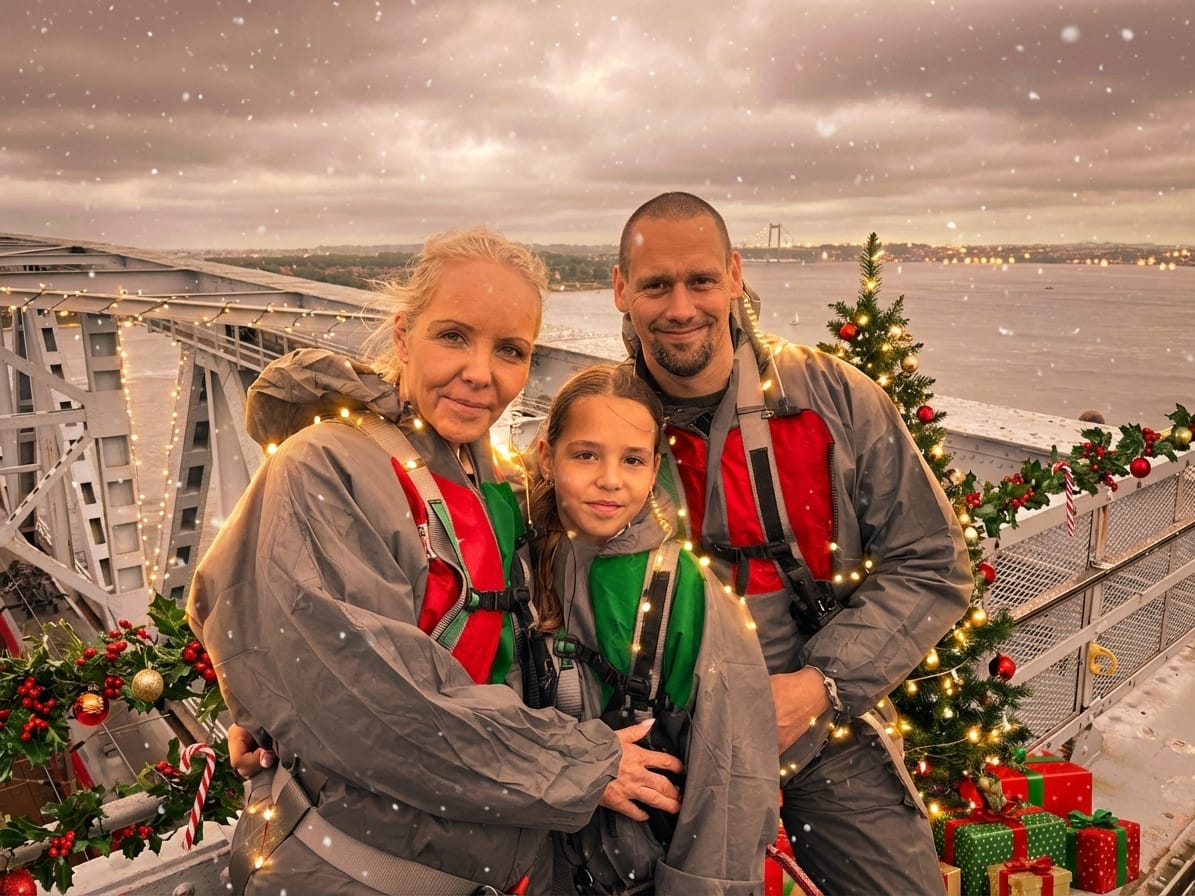
The obvious one. Take any family photo — even a quick phone snap from the summer — and the Christmas style turns it into a holiday card contender. Add a "Merry Christmas" line in Canva (or literally any text tool) and you're done.
Pets
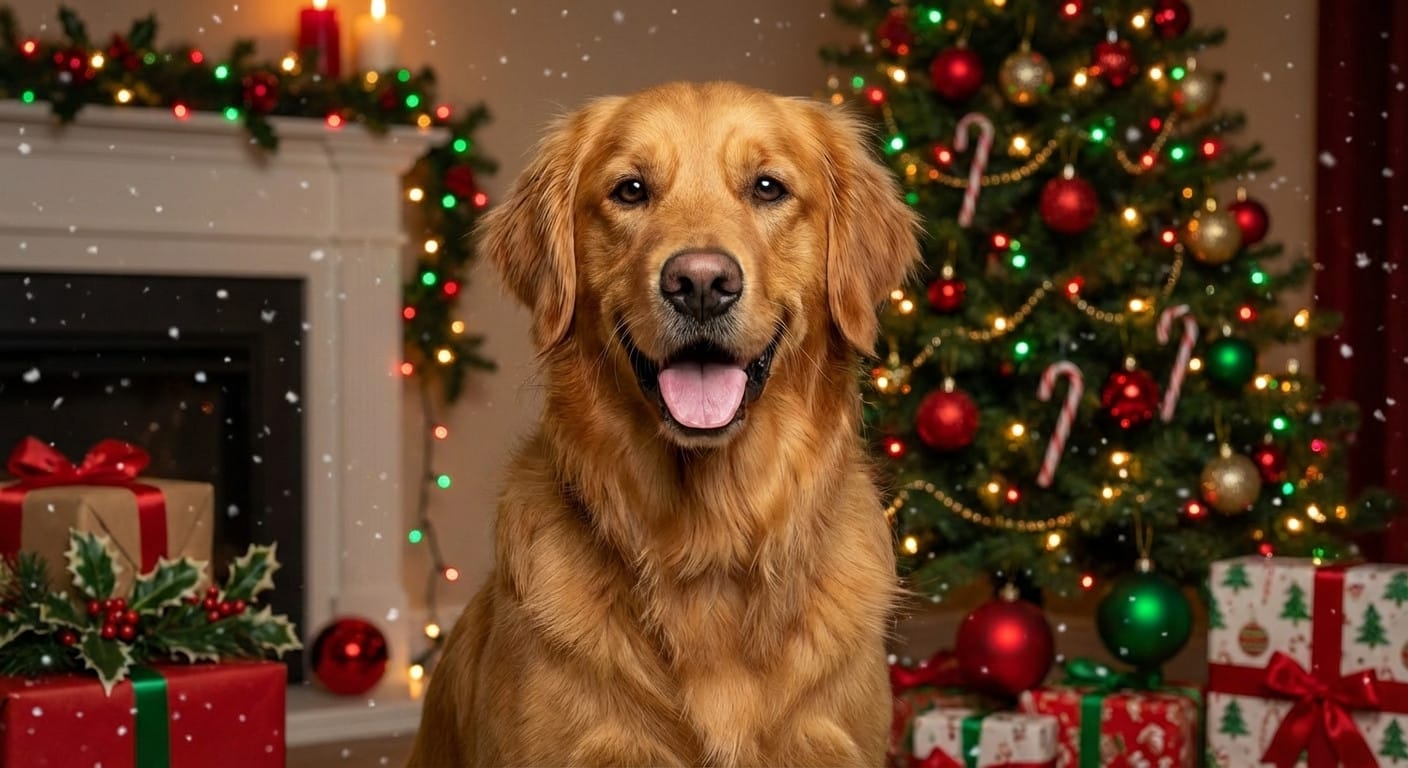
Dogs and cats in Christmas scenes are the most shared holiday content online, and nobody's pet enjoys wearing antlers. Upload a photo of your pet being a normal pet, and the AI wraps the scene in holiday warmth without stressing anyone out. The pet portraits showcase has a bunch of examples.
Product photos
If you sell anything online and need festive product shots for December, this saves you a reshoot. The AI adds seasonal elements around the product while keeping it sharp and recognisable. Works for everything from candles to sneakers.
Social media campaigns
Brands need weeks of holiday content between late November and New Year's. Instead of commissioning a photoshoot per post, transform existing photos into Christmas content. Quick, consistent, and you can batch a dozen images in one sitting.
A few things I've learned
- Start before December. The best-performing Christmas content hits feeds in late November. Get your images ready early.
- Try different source photos. The same style looks different on a portrait vs. a landscape vs. a product flat-lay. Previews use your free credits, so experiment.
- Mix it up. Pair the Christmas look with Winter or Holiday Gathering for a broader seasonal series.
- It's not just for December 25. Christmas content works from Thanksgiving through early January. One good set of images covers you for weeks.
Try it
Sign up free, drop in a photo, and see the Christmas style in action. Free credits on sign-up, no card required. When you want the print-ready 4K version, that's one credit with any credit pack — and packs are one-time purchases, never a subscription.
More seasonal styles: Winter · New Year · Hanukkah · All styles
Ready to transform your photos?
Upload one photo, preview AI styles with your free sign-up credits, and export in 4K. No subscription, ever.
Try Stemning freeMore from the blog
Halloween photos that don't look like sticker edits
Make Halloween photos that look like they were taken in a spooky scene — not just filtered. Portraits, pets, buildings. Upload, preview with free sign-up credits, export in 4K.
Give any wedding photo a completely different look
Turn any wedding or engagement photo into golden-hour, vintage, boho, or art deco looks — without a reshoot. Upload, preview with free sign-up credits, export in 4K.
Holiday pet photos without the costume fight
Turn any pet photo into a Christmas, Halloween, or birthday scene — no costumes, no studio, no stressed animal. Upload, preview with free sign-up credits, export in 4K.